Kodeo Time
Time tracking made simple
Start the timer, get on with your work and see exactly where your hours went. Track time by client and project, and know what you can bill.
Rated 5.0 out of 5, based on 3 ratings on Google Play
Free to use. Available on iPhone and Android.
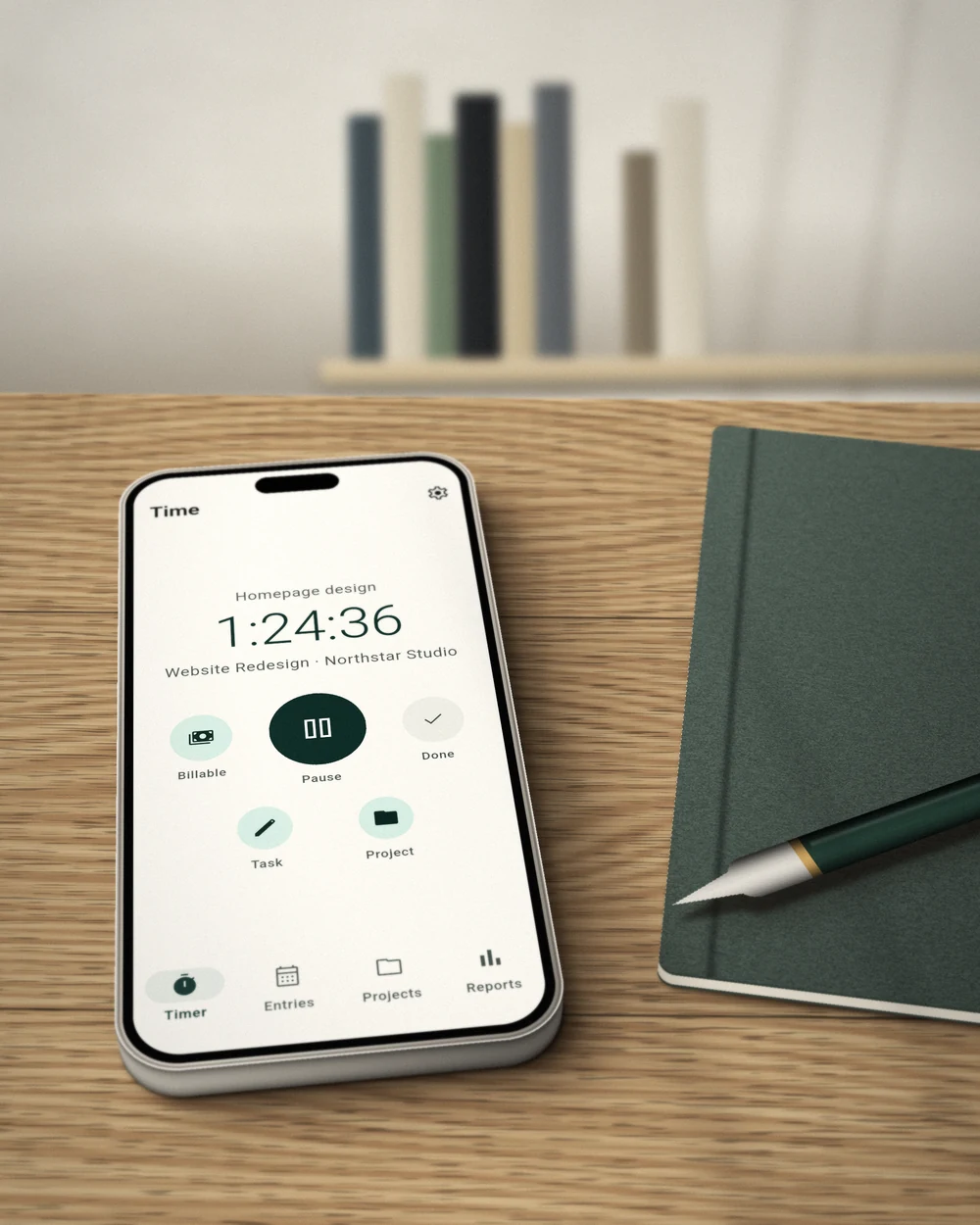
Time tracking without the overhead
Track as you work
Start, pause and finish a timer in seconds. Add a task, client or project while you work, or afterwards.
Clients and projects
Organise your hours by who the work was for and what it was. Archive what you have finished and every recorded hour stays where it was.
Billable, at a glance
Mark time as billable with one tap, then see this week or this month in a chart, with totals by client and project.
“Clean, simple, and easy to use. Really like the design and how straightforward everything feels!”
Everything you need to track time. Pro for billing.
Free
Track and report your time.
- Timer, manual entries and calendar
- Clients, projects and billable hours
- Week and month reports with charts
- CSV export and backup, always free
- No account required
Time Pro
Everything in Free, plus:
- Hourly rates and amounts
- Custom report periods
- PDF reports for your clients
Subscribe monthly or yearly.
Frequently asked questions
What is Kodeo Time?
Kodeo Time is a focused time tracker for freelancers, consultants and independent professionals. It tracks your hours by client and project, without the complexity of a project management platform.
Is Kodeo Time free?
Yes. Tracking, clients, projects, reports, CSV export and backup are free. Time Pro adds hourly rates and amounts, custom report periods and PDF reports, as a monthly or yearly subscription.
Is it available on iPhone and Android?
Yes. Kodeo Time is on the App Store for iPhone and on Google Play for Android.
Do I need an account?
No. Kodeo Time works without an account, and your time entries, clients and projects are stored on your device.
Can I track billable work?
Yes. Mark any time as billable with one tap, and your reports show what you can bill and what you cannot. With Time Pro you can add hourly rates to see what those hours are worth.
Can I send a report to a client?
With Time Pro you can create a clean PDF timesheet for any period and filter. CSV export is free, for your spreadsheet.
Is Kodeo Time a Pomodoro timer?
No. Kodeo Time is for tracking work across clients and projects. If you want a Pomodoro timer for focus sessions, that is what Pomo is for.
Does it work with Kodeo Invoice?
They are made by the same hands and work well side by side, and each is useful on its own. Use Kodeo Time to know your hours and Kodeo Invoice to bill for them.
Need help with Time? Contact us at support@kodeo.io.